
Downloads
On this page you can find and download the latest version available of the Monero software, as well as hardware, light and mobile wallets.
GUI Wallet
The GUI wallet provides a nice user interface, adaptable to all kinds of users, but it is especially recommended for less technical people who want to quickly send and receive XMR.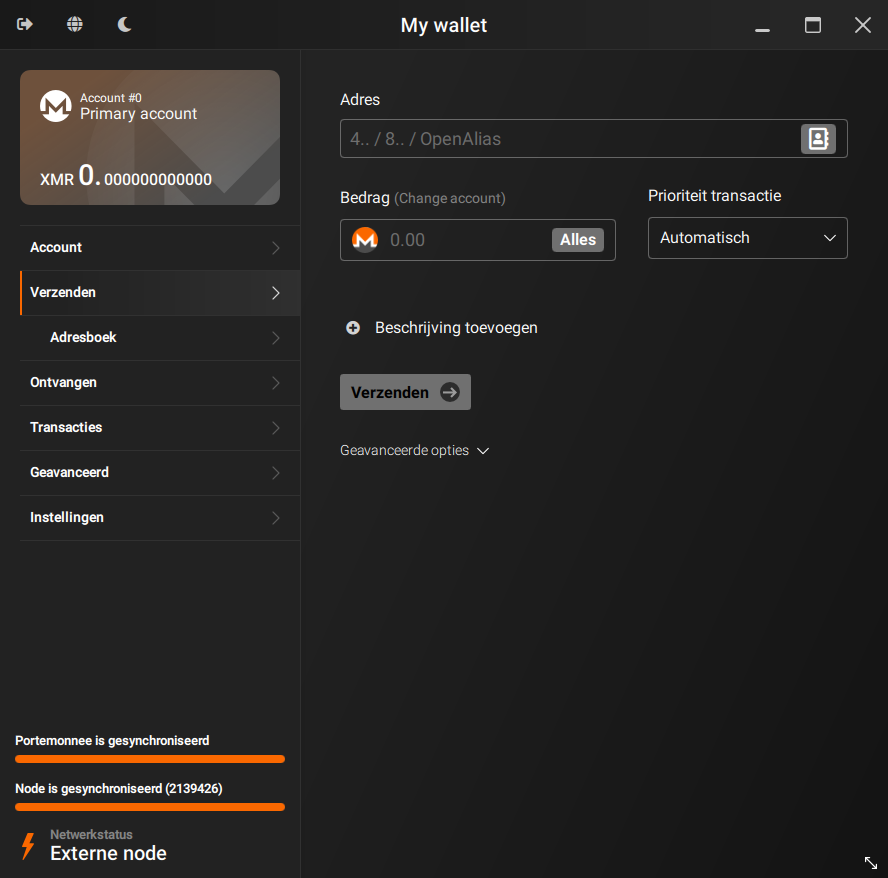
- Simple mode. Created for less technical users who only want to use Monero in the easiest and quickest way possible. Open the wallet, automatically connect to a remote node, send/receive XMR, done!
- Advanced mode. With all the advanced features you could need. Ideal for seasoned Monero users who prefer to have full control of their wallet and node
- Merchant page. Receive XMR for your business, easily
- Compatible with hardware wallets such Trezor and Ledger
- in-app fiat conversion. No longer a need to check the value of your XMR online
- Blockchain pruning. Not enough disk space? Just use pruning to download only 1/3 of the blockchain
- 30+ languages available
Downloads
Current Version: 0.18.5.4 - Fluorine Fermi (release notes)
There are also packages available for multiple Linux distributions. See the list on GitHub.
Antivirus
Be aware that some antiviruses and firewalls may flag the Monero executables and archives as malware. More info in the FAQ.
Verify
You are strongly advised to verify the hashes of the archive you downloaded. This will confirm that the files you downloaded perfectly match the files uploaded by the Monero development workgroup. Please don't underestimate this step, a corrupted archive could result in lost funds. Always verify your downloads! Always verify your downloads!
Show hashes to verify your download
These SHA256 hashes are listed for convenience, but a GPG-signed list of the hashes is at getmonero.org/downloads/hashes.txt and should be treated as canonical, with the signature checked against the appropriate GPG key getmonero.org/downloads/hashes.txt in the source code Two guides are available to guide you through the verification process:.
Two guides are available to guide you through the verification process: Binaries verifiëren in Windows (voor beginners) - Binaries verifiëren op een opdrachtregel in Linux, Mac of Windows (geavanceerd).
- Windows 64-bit (Installer)
- 4fa0808e63bb5ef2f936b5eede7c0f2552b5a92f877d23114d4c289b74cfaf19
- Windows 64-bit (Zip)
- 0b5cbbe0a1fda5ec487a667cea62599114dca3609acaab436b64a38fa84d449c
- macOS Intel
- 7fe280c14a6f8791245c8fdc75941d54eeb2c11c864b9e2df98395ce399a8435
- macOS ARM
- d28c951bf84c71ad4d0ffa2ae5a72406b7f4f9b3c06dd5bbf007a0386a0c648c
- Linux 64-bit
- 44cd148993ebd4ca63d7a191244eef7e2a783225cbaa0e5edd475ca34abd5874
- Source Code (archive)
- 4ae93a69c26a540fb4ff1f26d4d5e477f5167509310db91c1e49773f46de949e
Help and Support
A guide with an explanation of every section of the wallet is available: See latest release.
If you are experiencing issues or you need more info, feel free to reach out to the community. You can join to #monero-support or check out the Hangouts page for a more complete and detailed list of contacts and chatrooms.
CLI Wallet
An open-source command line interface (CLI) wallet developed by the Monero community, completely free to use, best suited for developers, intermediate, and advanced users. The CLI wallet gives you the total control over your Monero node and funds. Highly customizable and includes various analysis tools, as well as an HTTP RPC and 0MQ interface.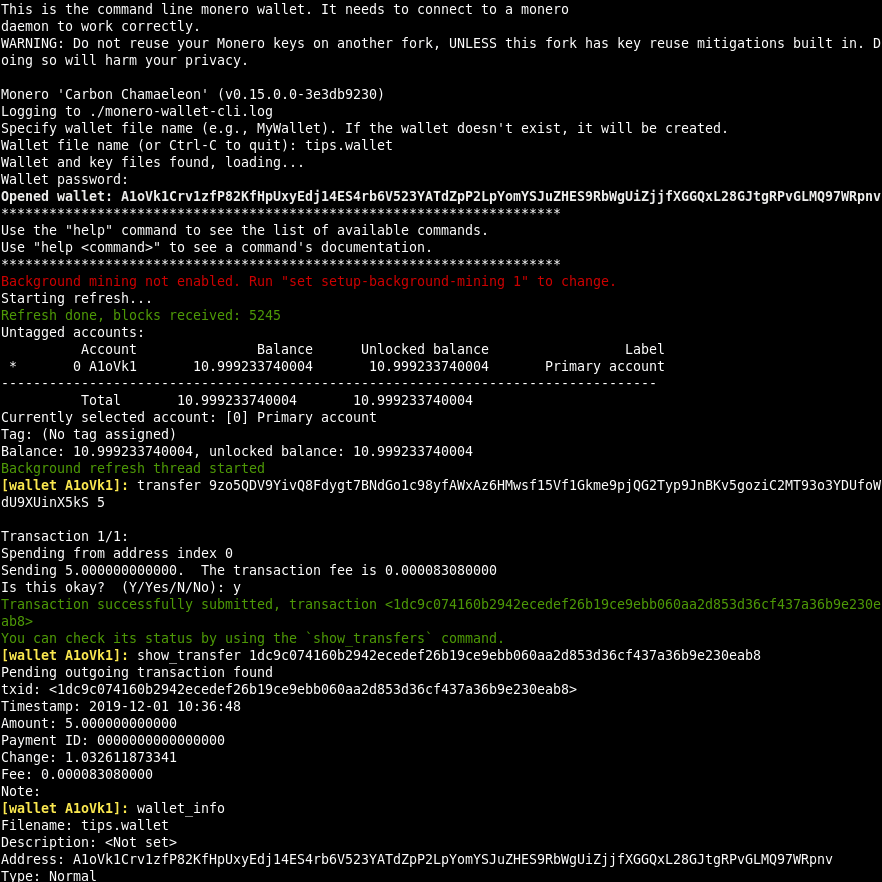
- Local or remote node. Use your own copy of the blockchain or a publicly available one
- Transactions over Tor/I2P. For an additional layer of privacy
- Bootstrap node. Use a remote node while downloading the blockchain locally, this will allow you to use Monero immediately and switch to your local node once it's completely synced
- Compatible with hardware wallets such Trezor and Ledger
- RPC Wallet and Daemon included in the archive
- Blockchain pruning. Not enough disk space? Just use pruning to download only 1/3 of the blockchain
Downloads
Current Version: 0.18.5.4 - Fluorine Fermi (release notes)
There are also packages available for multiple Linux distributions. See the list on GitHub.
Antivirus
Be aware that some antiviruses and firewalls may flag the Monero executables and archives as malware. More info in the FAQ.
Verify
You are strongly advised to verify the hashes of the archive you downloaded. This will confirm that the files you downloaded perfectly match the files uploaded by the Monero development workgroup. Please don't underestimate this step, a corrupted archive could result in lost funds. Always verify your downloads! Always verify your downloads!
Show hashes to verify your download
These SHA256 hashes are listed for convenience, but a GPG-signed list of the hashes is at getmonero.org/downloads/hashes.txt and should be treated as canonical, with the signature checked against the appropriate GPG key getmonero.org/downloads/hashes.txt in the source code Two guides are available to guide you through the verification process:.
Two guides are available to guide you through the verification process: Binaries verifiëren in Windows (voor beginners) - Binaries verifiëren op een opdrachtregel in Linux, Mac of Windows (geavanceerd).
- Windows 64-bit
- 1ccac3b476ba75bf6dfdfa848f6520a79b64cdf3457a160eaa0dad82d5a2a042
- Windows 32-bit
- 2cefcdb1027104aa7400d4bef5b1c1d4dcdbd7ee29d7c0c1bdcba7a458930578
- macOS Intel
- 9fefa7f5f7ae60fbd8d0ad18842b76c56ed161eca4ffb4f8b5f4800e5033b146
- macOS ARM
- d457de7c8a1ad42e3232fdea6d9f9003be9652143fb8f719c1fc906aa6b4917b
- Linux 64-bit
- ba2928962c101b609434bf8c1b43ad59ebe96c5525977284ca599d8bf0f02d10
- Linux 32-bit
- c48e3db1c4d008cdfadb1192b3d39906ed06c29ec61b357c8f30ecc1b6111595
- Linux ARMv8
- d20d71e6522b41eb8e549c3425f7f4622c9c9a448fc7147525393fd0a6b59703
- Linux ARMv7
- 124883ebd8b3e19fb9000bc051dd9a28958a1a383455af78b539362b0d59094f
- Linux RISC-V 64-bit
- 4f064d6cecfbee03f9d468f616147e7fac1c48df3613d877105e321ac0b71a76
- Android ARMv8
- b1ba5efaf8d078fce26ae66a45252e4eb67a7de3068ea093c5ba6c8f7e7cb59c
- Android ARMv7
- 58d39c1e241bde624a01d9d2402784314a769bf47f555708aa52ae52fbcfc7f8
- FreeBSD 64-bit
- 0bf207083558c2b567b170ae78103c78a23a8ae628367579b7133b957f7cf54a
- Source Code (archive)
- 3c5aabb6e8abcabb58169cf4ad60b11be23cd7384c051a40ed2b23490d842bab
Help and Support
If you are experiencing issues or you need more info, feel free to reach out to the community. You can join to #monero-support or check out the Hangouts page for a more complete and detailed list of contacts and chatrooms.
Mobile & Light Wallets
The following are mobile or light wallets that are deemed safe by respected members of the community. If there is a wallet that is not on here, you can request the community check it out. Go to our Hangouts page to see where we are.
Local synchronization
These wallets connect to remote nodes and scan the blockchain on your device, without sharing any key with the nodes. They provide higher privacy, but require more time synchronizing, since missing blocks will be scanned only when the wallet is opened.
| Wallet | Mobile | Desktop | Source Code |
|---|---|---|---|
 ANONERO ANONERO |
X | ||
 Cake Wallet / Monero.com Cake Wallet / Monero.com |
|||
 Feather Feather |
X | ||
 Monerujo Monerujo |
X | ||
 Monfluo Monfluo |
X | ||
 Stack Wallet Stack Wallet |
|||
 Unstoppable Unstoppable |
X |
Remote synchronization (lightweight)
These wallets share your private view key with a remote server, which continuously scans the blockchain looking for your transactions. They are faster to use, but your privacy can be lessened if you don't control the remote server.
| Wallet | Mobile | Desktop | Source Code |
|---|---|---|---|
 Edge Edge |
X |
Local synchronization
These wallets connect to remote nodes and scan the blockchain on your device, without sharing any key with the nodes. They provide higher privacy, but require more time synchronizing, since missing blocks will be scanned only when the wallet is opened.
Remote synchronization (lightweight)
These wallets share your private view key with a remote server, which continuously scans the blockchain looking for your transactions. They are faster to use, but your privacy can be lessened if you don't control the remote server.
Hardware Wallets
Hardware wallets are cryptographically secure devices that help keep your coins safe. Monero is currently supported by Ledger Nano (S, S Plus, and X) and Trezor (Model T, Safe 3, Safe 5)
| Hardware Wallet | Model(s) | Wallets | Min. firmware version |
|---|---|---|---|
 |
|
|
|
 |
|
|
|
-
Models that support Monero:
- Nano S
- Nano S Plus
- Nano X Wallets:
- Monero GUI
- Monero CLI
- Cake Wallet / Monero.com
- Feather
- Monerujo Min. firmware version:
- Nano S: 2.1.0
- Nano S Plus: 1.0.3
- Nano X: 2.0.2
-
Models that support Monero:
- Model T
- Safe 3
- Safe 5 Wallets:
- Monero GUI
- Monero CLI
- Feather Min. firmware version:
- 2.5.2